Commercial & Office Movers in {{area.main}}
{{business.name}} relocates businesses across {{area.alt}} — offices, professional practices, retail units, and warehouses. The work is planned around when you're closed rather than driven through the middle of your week, sequenced so the things you need to trade are the last out and the first back in. Tell us the two addresses, roughly how many people, and when you need to be operational, and we'll build the plan around that.
What we relocate
Offices and professional practices
Legal, accounting, financial, agency, consulting.
Medical, dental, and veterinary practices
Where equipment and records both need handling with care.
Retail and storefront
Fixtures, stock, displays, and point-of-sale.
Warehouse and light industrial
Racking, stock, workbenches, and equipment.
Restaurants and commercial kitchens
Appliances, prep tables, shelving, and stock, worked around service hours rather than through them.
Schools, churches, clubs, and nonprofits
Classrooms, halls, offices, and storage, usually scheduled into a term break or a quiet week.
Single departments, single floors, and internal reconfigurations
Everything out of two floors and back in again while carpet goes down.
Server rooms, IT equipment, and archive storage
As part of a larger move or on their own.
Moving a household rather than a business? That's residential moving, and it's planned quite differently.
Downtime is the real cost
The truck is rarely the expensive part of an office move. The expensive part is the time your business isn't working, and that's what a commercial move is actually planned around.
In practice that means sequencing rather than speed. The functions you can't operate without get identified first and moved last, so they're offline for the shortest possible stretch. IT usually comes out at the end of the old site and goes in at the start of the new one. Departments that can work from anywhere for a day move early. A larger business often moves in phases across several visits rather than all at once, which costs a little more in trips and a great deal less in lost trading.
None of that happens by accident on the day — it comes out of a walkthrough of both premises beforehand.
What has to be sorted before the day
The office moves that go wrong nearly always go wrong on the planning, not the lifting:
Get the internet and phones live at the new address before you move, not after.
Connections at a new commercial address can take considerably longer to provision than anyone expects, and this is the single most common reason a business moves successfully and still can't trade on Monday. Start it the week you sign the lease.
A numbered floor plan of the new space.
Every desk, every office, every storage area labeled, so nothing is decided in a corridor while people wait.
A labeling system everyone uses.
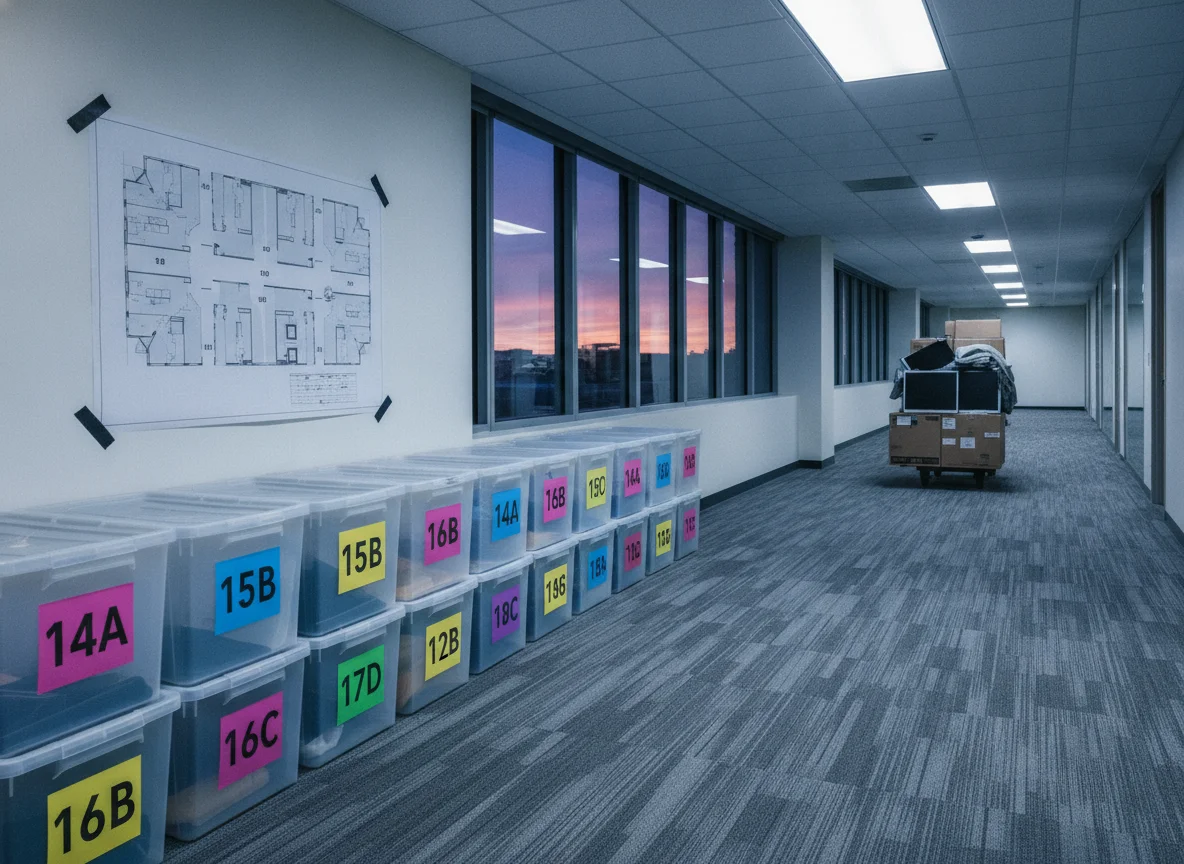
Each destination room gets a number or a color, every carton and every piece of furniture carries it, and it matches the floor plan on the wall at the new site.
One point of contact on each end.
Someone who can answer questions and make decisions, at the old premises and at the new one.
Staff pack their own desks.
One crate per person, labeled with their name and their new desk number, personal items and valuables taken home rather than packed. It's faster, it's cheaper, and people find their own things again.
Access arrangements in writing.
Who opens up, who locks up, alarm codes, keys, parking, and any restriction on when the building can be worked in.
Talk to both landlords early.
Buildings frequently want notice and paperwork from whoever is doing the move before anyone is allowed to start. Ask what's required well ahead of the date, because it's a slow thing to fix in the last week.
IT, equipment, and the things with rules attached
Back everything up before anything is unplugged.
Every move is also a small chance to lose data, and the backup is what makes that chance irrelevant.
Photograph the back of the rack and the back of each workstation
Before a single cable comes out. Ten minutes of photos saves hours of guessing.
Cables come off bagged and labeled to the machine they belong to
Not into a communal box. Monitors travel upright in purpose-made cartons, towers boxed rather than loose.
Servers and network hardware are decommissioned and recommissioned by your IT provider or a specialist
Who powers things down properly and brings them back up in the right order. The crew moves the hardware; the configuration is not a moving job and shouldn't be treated as one.
Check the lease on any copier or multifunction printer before you touch it.
Leased machines very often have to be moved by the leasing company's own technician, and moving one yourself can breach the agreement or void the service cover. Book that separately, early.
Safes, fireproof cabinets, and heavy plant
Need equipment and enough people, and sometimes a check on what the floor at the new address is rated to carry. Tell us about these first, not last.
Specialist equipment — medical, dental, laboratory, kitchen, gym —
Often has a manufacturer or vendor requirement for how it's disconnected, transported, and recalibrated. Where that applies, it comes out of the vendor's hands, not ours.
Workstations and furniture systems
Cubicle and partition systems come apart and go back together, but they aren't universal — panels, connectors, and hardware are specific to the system, and a layout that worked in the old space doesn't always reconfigure cleanly into a new floor plan. It's worth confirming what you have and what the new space will take before assuming the whole system moves across.
Height-adjustable desks, conference tables, filing systems, and racking all dismantle and reassemble too. In every case the fittings stay bagged and tied to the piece they came off, because a partition wall with no connectors is scrap.
Records and confidential material
Client files, personnel records, medical and financial documents get moved sealed, numbered, and accounted for at both ends, so nothing is left unattended and nothing arrives unexplained. If your records are subject to regulatory requirements, tell us what those are before the move and we'll work to them — that conversation belongs in the planning, not on the day.
Anything you'd rather not have leave the building at all should travel with a member of your own staff.
Leaving the old premises as the lease requires
Most commercial leases require the space handed back in a defined condition, and that obligation is easy to overlook until the final week. Anchored shelving, wall brackets, signage, and cabling usually have to come out, and what's left behind has to go somewhere. Old furniture, dead IT equipment, and archive material that isn't making the trip all need a disposal plan of their own.
Raise it during the planning. It's straightforward with notice and expensive in a hurry.
What moves the price
How much is going, how much has to be dismantled and rebuilt at the other end, how much IT and specialist equipment is involved, how difficult both premises are to get things in and out of, whether the move runs in one visit or several, whether it happens inside or outside your operating hours, and how much of the old space has to be cleared. For anything you'd rather handle in-house, loading and unloading help covers the lifting while your own people manage the rest.
We cover {{area.full}}.
Common questions
Can we move without closing?
Usually, yes. Phased moves and moves that run around your operating hours exist precisely so a business doesn't have to shut. It takes more planning and sometimes more visits, and it's nearly always worth it.
Who disconnects the computers?
Your IT provider or a specialist handles the shutdown, the network, and bringing everything back up. The moving crew handles the physical hardware. Make sure both sides know which is which before the day, because "I assumed you were doing it" is how a business loses a morning.
How far ahead should we start planning?
Earlier than a house move, and the driver isn't the truck — it's the connectivity, the landlord paperwork, and any vendor-handled equipment. Those have lead times you don't control, so start them as soon as the new address is confirmed.
Do you handle the packing as well?
Yes — packing services covers full packing, or just the parts you'd rather not hand to staff, like a records room or a kitchen. Most businesses have people pack their own desks and hand over everything else.
Ready to plan your move?
Send both addresses, roughly how many people and workstations are moving, your target date, and anything specialized in the building — servers, a safe, medical or lab equipment, a leased copier. A walkthrough of both premises is what turns that into a plan.